
Quick Links
Custom PC Tycoon, a Roblox game, challenges players to build computers and servers using various components. Higher-priced components yield greater profits. Players can also upgrade their workshops, customize colors, and more.
This guide provides all active Custom PC Tycoon codes. Redeeming these codes grants valuable rewards like PC parts and cash, boosting your ability to create high-earning computers.
Updated January 7, 2025, by Artur Novichenko: We regularly update this guide with the latest codes. Bookmark this page for easy access.
All Custom PC Tycoon Codes
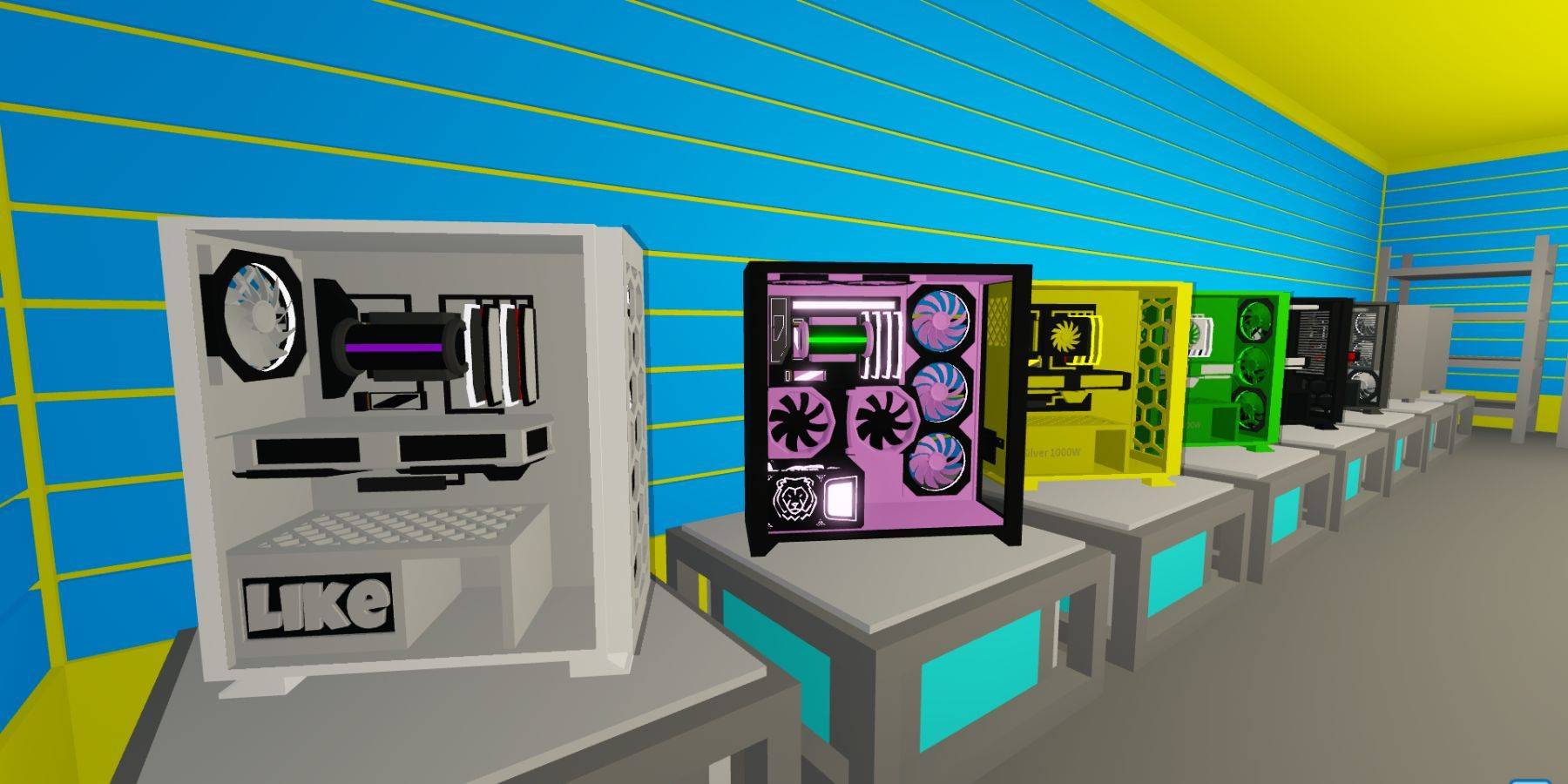
Currently Active Custom PC Tycoon Codes
These codes are subject to change, so redeem them as soon as possible.
BeachTime: 10 minutes of all boosts.80mVisits: 5 minutes Double Sunstone Boost.frontpage: 5 minutes of all boosts.150klikes: $15,000 cash.120klikes: 5 minutes of all boosts.70K Likes: Radon RT 6600 GPU.Lunar: Exclusive 3000W Tiger PSU Power Supply.5M visits: 2 Fusion Coolers.FluffyBunny: $1,500 cash.Supportive: Nightcore case.70m Visits: 5 minutes of all boosts.viperclipz: 5 minutes of all boosts.fallenworlds: 5 minutes of all boosts.135kLikes: 5 minutes of all boosts.likeTheGame: 5 minutes of all boosts.60m visits: 10 minutes of all boosts.GamerFleet: Cash.30K Likes: 6-bit V0 CPU.7M Visits: SP 5CE Motherboard.Chapter2: $5,000 cash.Fan Power: 2X Whoosh Cooling.FirstMilestone: Cash.GamingDan: PC part.LikePower: Thumbs Up CPU.
Expired Codes
These codes no longer provide rewards.
easter2024downtime2024FluffyBunnynewyear2024christmas20235M visitLunaSoHotSupportiv120kLikes3k likes400k visits!70K Likes7k LikesApril FoolsFluffyBunnyLunarMerry ChristmasNewUpdateTrick or Treat
How to Redeem Codes in Custom PC Tycoon
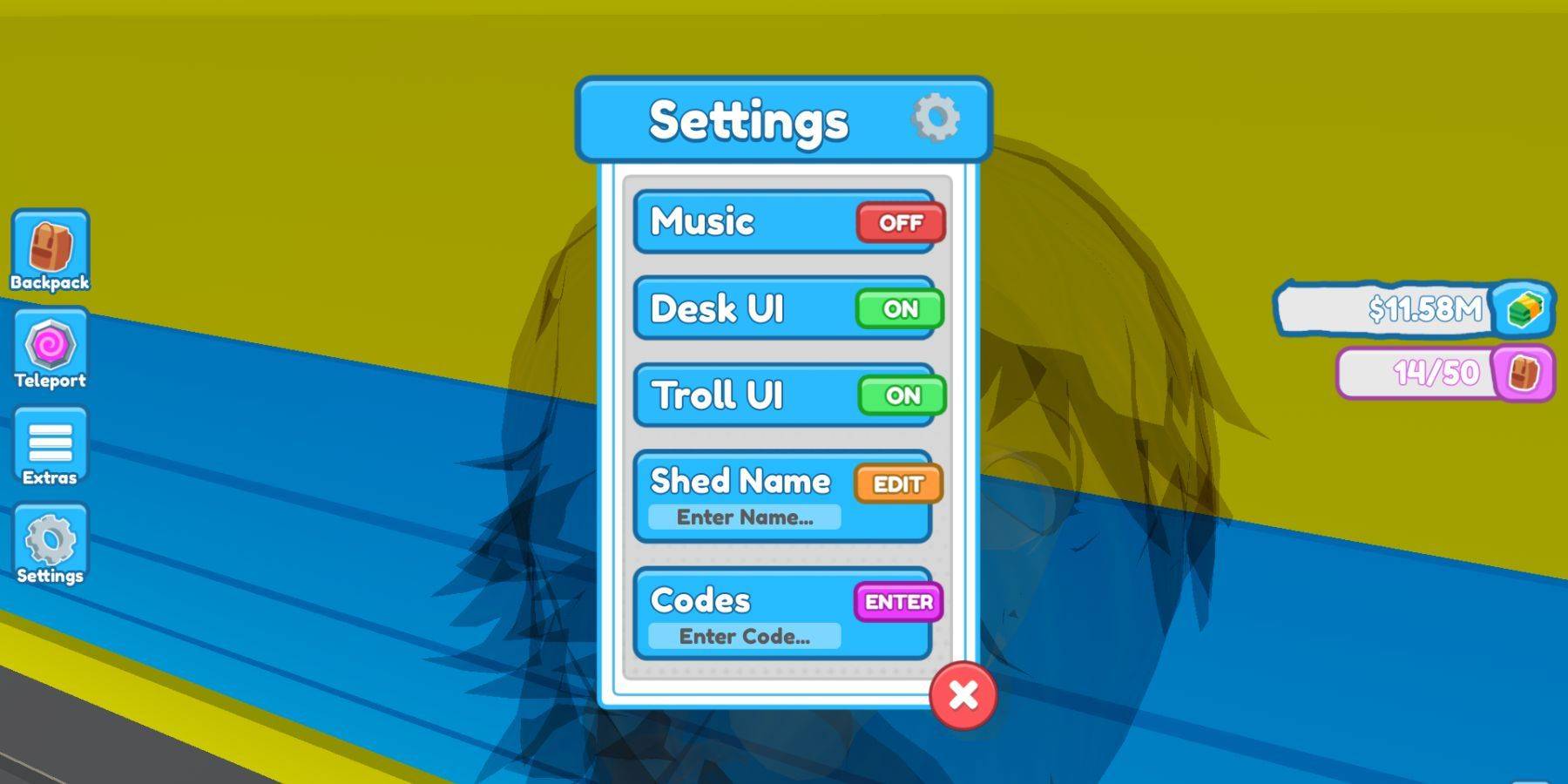
Redeeming codes is straightforward:
- Launch Custom PC Tycoon.
- Locate and select the settings menu (usually found in the middle-left of the screen).
- Find the "Codes" box and "Enter Code" field at the bottom of the settings menu.
- Enter a code from the list above.
- Press Enter to redeem.























![City Devil: Restart [v0.2]](https://img.icssh.com/uploads/38/1719554737667e52b102f12.jpg)

