
Week 2 of the Blast from the Past event in *The Sims 4* is in full swing, sending players on a thrilling journey across the map to unravel the mystery. However, a seemingly simple task is causing a roadblock for many. Here's a detailed guide on how to study a Historical Display in *The Sims 4*.
Where To Find a Historical Display in The Sims 4 Blast From the Past Event
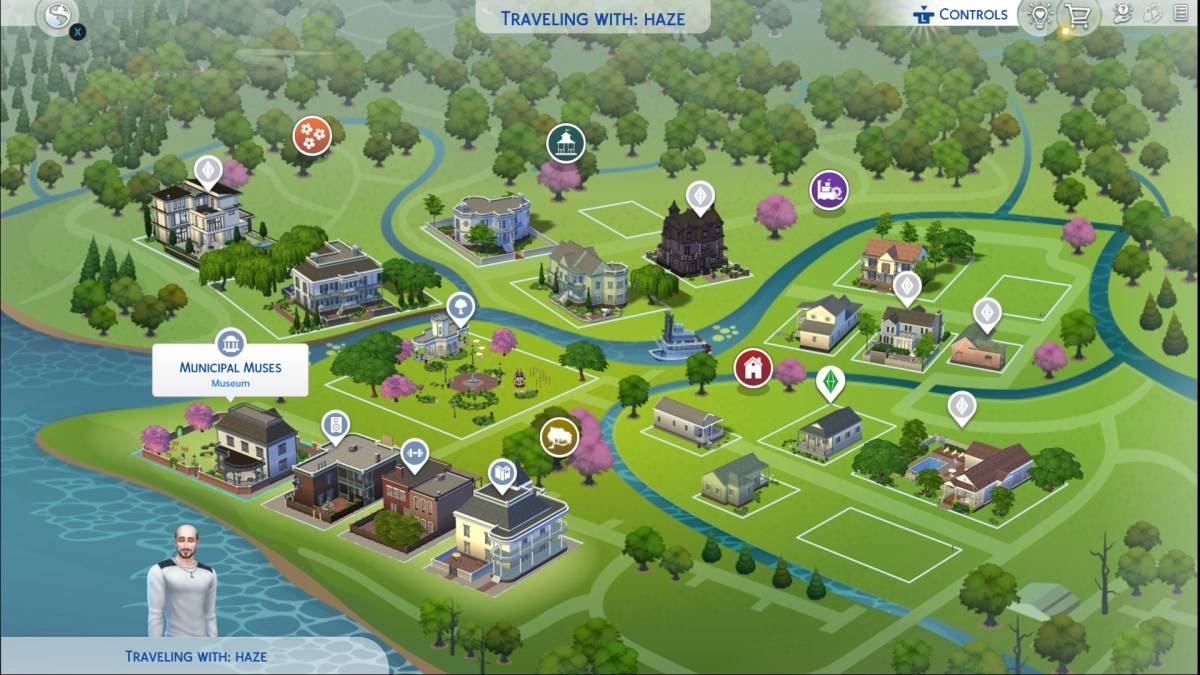 One of the quests in Blast from the Past Week 2 requires you to study a Historical Display at a museum. Long-time players of *The Sims 4* likely know the location of their local museum. For newcomers, simply open the map and look for a building marked with an icon featuring pillars. There are four default museums, but the most convenient ones to visit are Municipal Muses in Willow Creek and The Future's Past in Oasis Springs, as they are strategically located near other tasks in the event.
How To Study a Historical Display in The Sims 4 Blast From the Past Event
Upon arriving at a museum, it's time to step inside and start studying. In *The Sims 4*, both paintings and sculptures qualify as Historical Displays. Choose the one that catches your eye, click on it, and select the "View" option. The Emit icon will appear, confirming that you've completed the challenge.
Despite the simplicity of the task, numerous players are encountering issues. Mods appear to be the culprit, causing the "View" button to malfunction and preventing players from studying the Historical Display. Some have tried removing all mods to progress through the event, yet the problem persists. Hopefully, EA is aware and working on a fix. In the meantime, the best strategy is to try studying as many items as possible across different museums.
Related: All Sims 4 Expansion Packs, Ranked
All The Sims 4 Blast From the Past Event Week 2 Quests
Even after successfully studying a Historical Display, there are more challenges to complete in Week 2. Here's a comprehensive list of the quests:
Echoes of Time Quests
- Read the History of Time Travel at a Library
- Experience the Past by Playing The Sims Archives vol. 2
- Study a Historical Display at a Museum
- Ask an Elder about the Shard
- Research Shards of Time
- Search Objects for Shards of Time (3)
- Show Emit the Shards of Time
Inventing the Past Quests
- Read Theoretical Electronics at a Library
- Collect Plathinum
- Collect Ironyum
- Repair Something while Handiness Level 2 or Higher
- Exercise Your Mind while Level 2 or Higher in Logic
- Obtain an Electronic Upgrade Part
- Build the Time Travel Component
And that’s how to study a Historical Display in *The Sims 4* Blast from the Past event. With these tips, you'll be well on your way to completing Week 2's challenges and uncovering the full story behind the mystery.
*The Sims 4 is available now on PlayStation, Xbox, and PC.*




























![City Devil: Restart [v0.2]](https://img.icssh.com/uploads/38/1719554737667e52b102f12.jpg)
