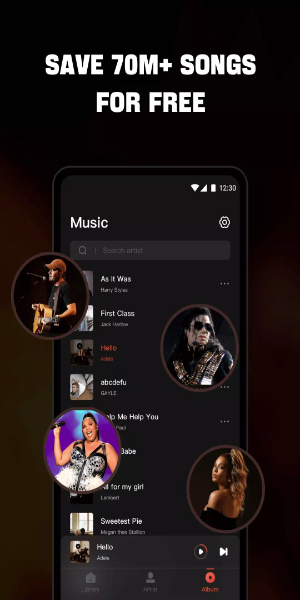

Mixtube: Free offline MP3 player, radio, and music downloader. Experience music at its finest with this all-in-one app, designed to work seamlessly without an internet connection. Easily import and play your entire music library, supporting every audio format imaginable. An integrated high-fidelity equalizer lets you customize your sound for a truly premium listening experience.

Why Choose Mixtube Music?
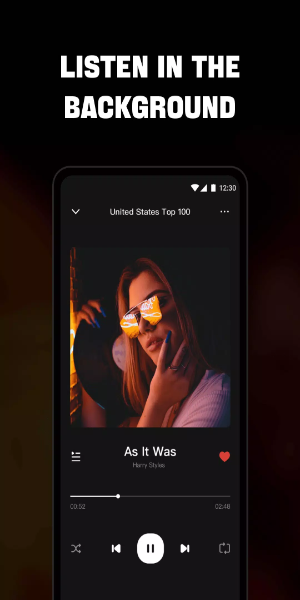
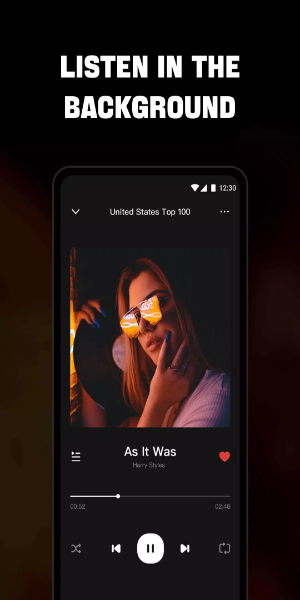
- Uninterrupted Playback: Listen to music and audio non-stop, even while using other apps or going about your day-to-day tasks like cleaning, working, or studying.
- Extensive Format Compatibility: The player supports all popular audio file types, including MP3, MIDI, WAV, FLAC, AAC, and APE, guaranteeing crisp, high-quality sound for every track.
Endless Free Music:
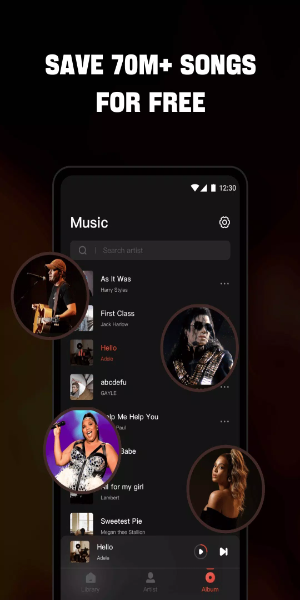
- Dive into a massive, constantly updated library of the latest songs on Music.
- Use a floating video player that you can move anywhere on your screen, so the music never stops while you multitask.
- Works perfectly with headphones or speakers for the best audio output.
- See and control music playback right from your screen.
- Switch between playback modes like single loop, shuffle, or continuous loop to match your mood.
High-Quality Music Player Features:
- Sing along easily with real-time, synced lyrics for your favorite songs!
- Fine-tune your audio with a powerful, multi-band equalizer.
- Explore a huge variety of music in multiple formats from your device, SD card, or even YouTube.
- Discover music across endless genres, from Billboard Hot 100 and iTunes Top 40 to K-pop, Latin, Indian, J-pop, and worldwide chart-toppers.
- Enjoy seamless multitasking with a convenient floating music player.
- Play songs individually or entire playlists with this free music player.
- Quickly find and organize all audio files saved on your phone's internal storage or SD card.
- Playback automatically pauses when you unplug your headphones.
- Use the sleep timer to automatically stop the player when you want.
High-Definition Video Player Features:
- Browse and play all your local video files—clips, trailers, movies—in any format stored on your device.
- Take advantage of background play to keep videos running even when you switch apps or turn off your screen.
- Use the floating window feature to position the player anywhere for smooth use with other applications.
- Access multiple built-in controls for playback, volume, brightness, speed, and more, plus handy preset modes.
- Easily load local subtitle files to watch any video with subtitles in just a few taps.
- The app also doubles as a versatile, free YouTube music video player.
How to Install:
Download the APK: Get the APK file from a trusted source, 40407.com.
Enable Unknown Sources: On your device, go to Settings > Security and allow installation from unknown sources.
Install the APK: Find the downloaded APK file and follow the on-screen prompts to install.
Launch the App: Open the app and start enjoying it.