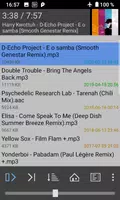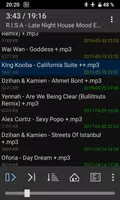
The 1by1 Directory Player is a fast and lightweight audio player that plays music directly from your device's folders. It supports numerous audio formats and features a clean, intuitive interface for easy browsing of your music library. You can create custom playlists, use shuffle and repeat modes, and enjoy music without needing a built-in media library. Perfect for users who want a simple, no-fuss way to listen to their tracks, 1by1 offers a straightforward and efficient playback experience.
Key Features of 1by1 Directory Player:
* Smart View: Play audio files directly from your folders—no playlists or media library required.
* Sound Enhancing: Improve audio quality with built-in enhancers for balanced volume and richer sound.
* Crossfading: Experience smooth, seamless transitions between songs with gapless and crossfade playback.
* User-Friendly Interface: Navigate quickly with a clear, simple layout that saves time and conserves battery.
FAQs
What audio file formats does 1by1 support?
- 1by1 supports MP3, OGG, AAC, MP4, WAV, FLAC, and OPUS (OPUS requires OGG extension on Android 5 and 6).
How do I fix files not appearing in the app?
- If files aren't showing, verify the app has permission to access your storage folders.
How can I report a problem or bug?
- If you experience any issues, crashes, or bugs, please email us to report them for quick support.
Efficient, Streamlined Audio Playback
1by1 is a minimalist folder player built for a clean, efficient listening experience. It plays audio files directly from folders, so you don't need playlists or a media database. The simple, clear interface helps you save time and battery by avoiding unnecessary visuals.
Smart & User-Friendly Features
The app includes smart view and folder play for easy navigation and quick track access. Sound enhancement and crossfade ensure smooth transitions between songs. Resume play remembers your track and position, even when switching folders. You can also bookmark tracks, positions, and playlists for convenient playback later.
Comprehensive File Management
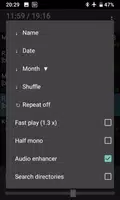
1by1 offers a file finder and directory finder to locate and play audio files fast. Control your listening with sort, shuffle, and repeat modes. Export internal playlists in M3U/M3U8 formats, or stream audio via URLs in M3U playlists.
Enhanced Audio Quality
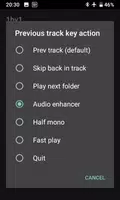
Built-in audio enhancers deliver consistent volume and powerful sound. Enjoy gapless playback and crossfade for uninterrupted listening. Options like mono mix and fast play are also included. Note: On Android 4.1+, enable "Internal decoding" in settings for DSP features to work.
Customizable & Ad-Free Experience
Personalize your player with track coloring by month or name, optional cover art, and shortcuts via long-press buttons. A sleep timer helps manage listening time. The app is completely ad-free for an uninterrupted experience.
Wide Format Support & Permissions
1by1 supports MP3, OGG, AAC, MP4, WAV, FLAC, and OPUS (OPUS with OGG extension on Android 5 and 6). If files don't appear, check app permissions. Required permissions include wake lock (play with screen off), SD card write (delete tracks, export playlists), internet (web streaming), and Bluetooth (connection options).
Customer Support
If you run into problems, crashes, or bugs, please send us an email. Your feedback helps improve the app more than an untraceable 1-star rating, and we appreciate your support.
What's New in Version 1.31
Last updated on Oct 25, 2021