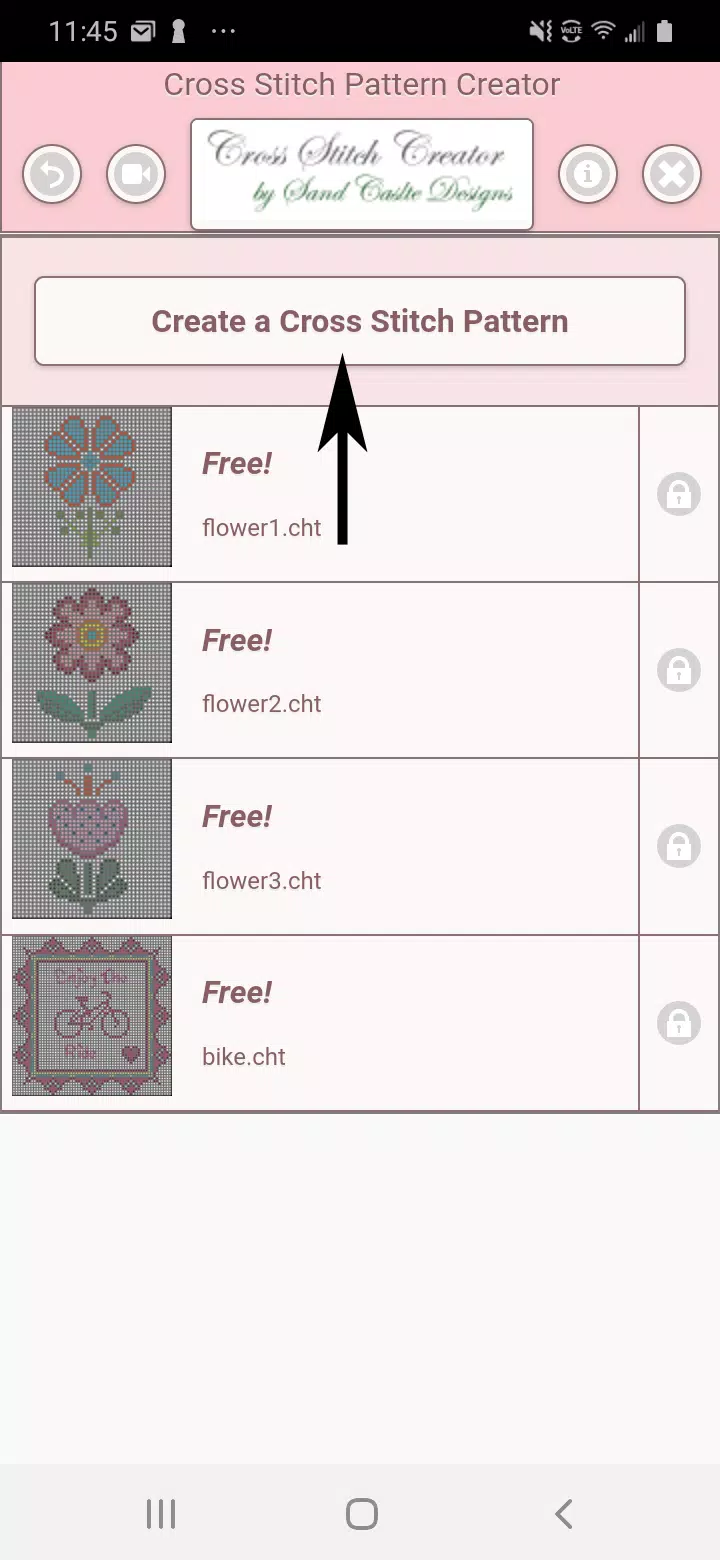
Unleash your creativity with the Cross Stitch Pattern Creator, a versatile tool designed to help you craft your own unique cross stitch designs. This app comes with four sample patterns to get you started, and while the download is free, activating the full range of features will cost you just $2.99. For the best experience, we highly recommend using a tablet due to the size of the cross stitch patterns you'll be working with.
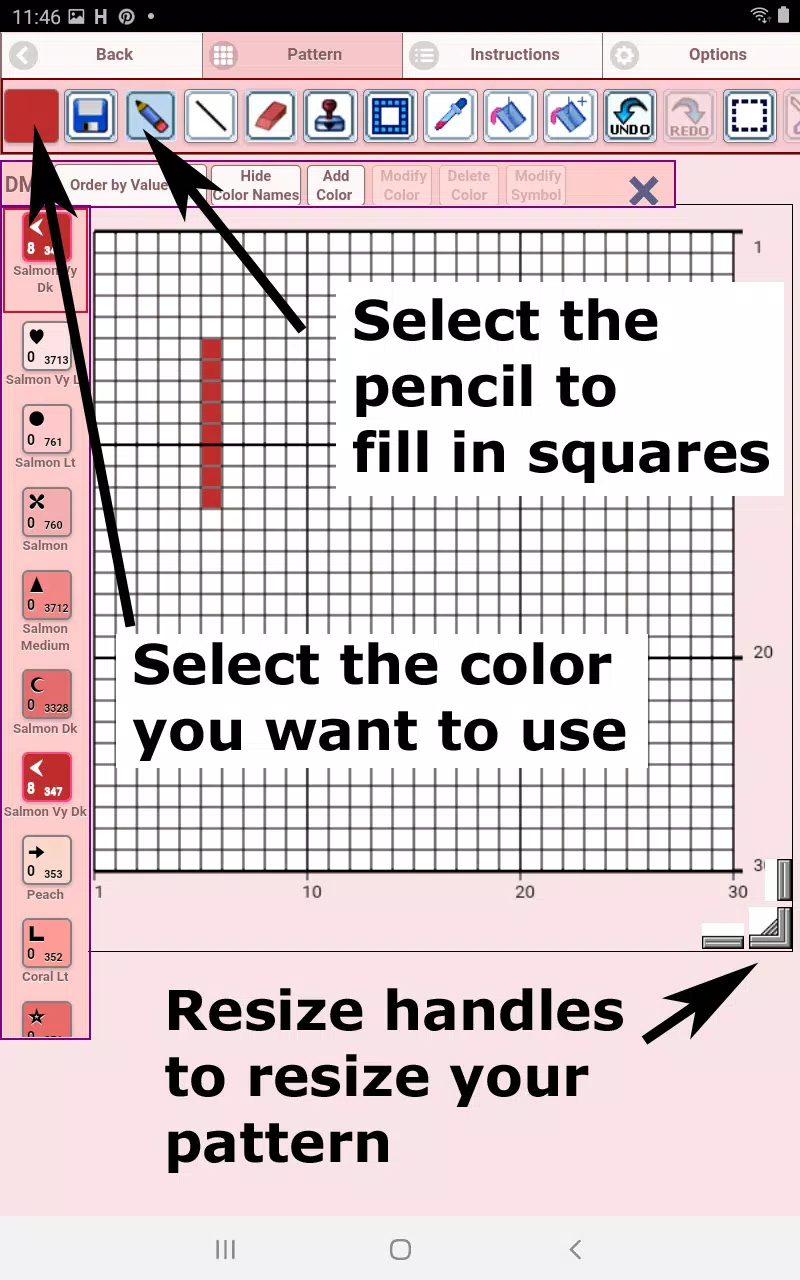
To begin creating your own cross stitch patterns, simply tap the "Create a Cross Stitch Pattern" button. This will open the Cross Stitch Pattern Editor, where you can fill in the squares with DMC floss colors. Feel free to add your own custom colors to make your design truly one-of-a-kind.
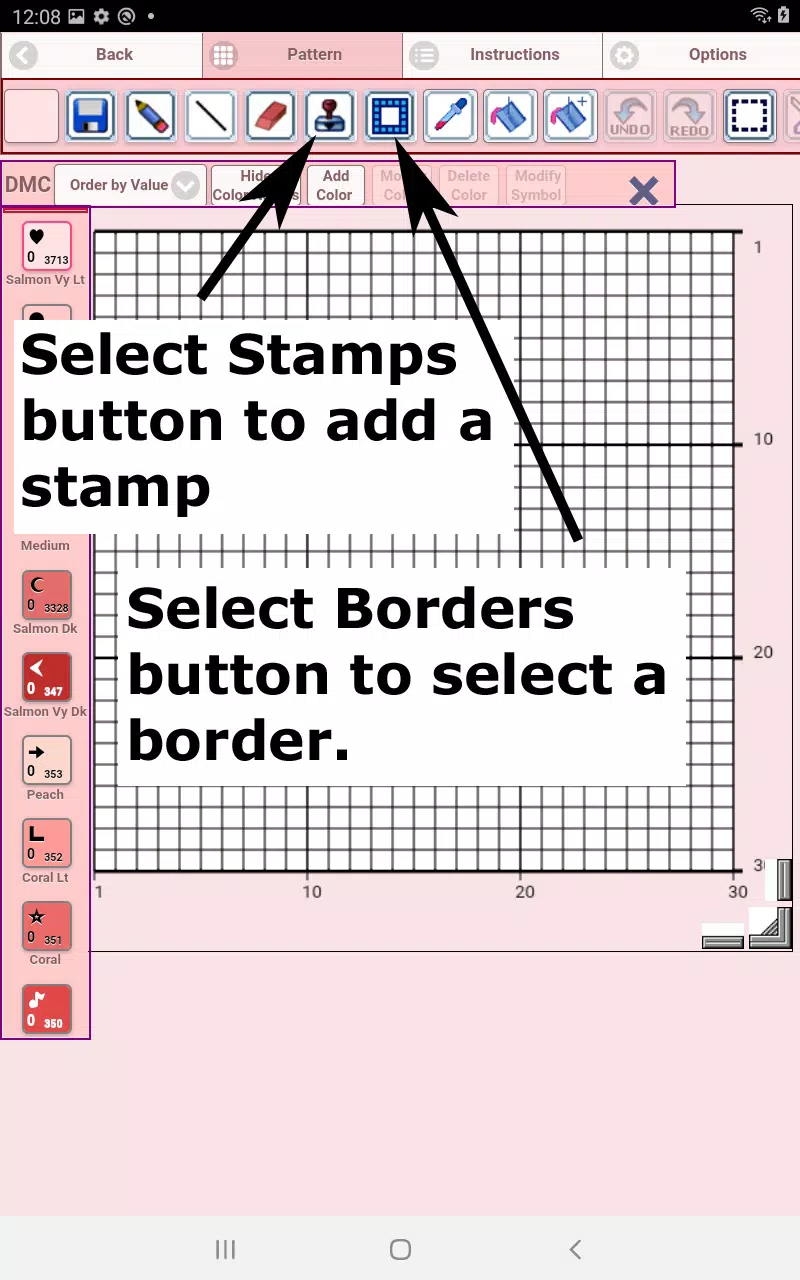
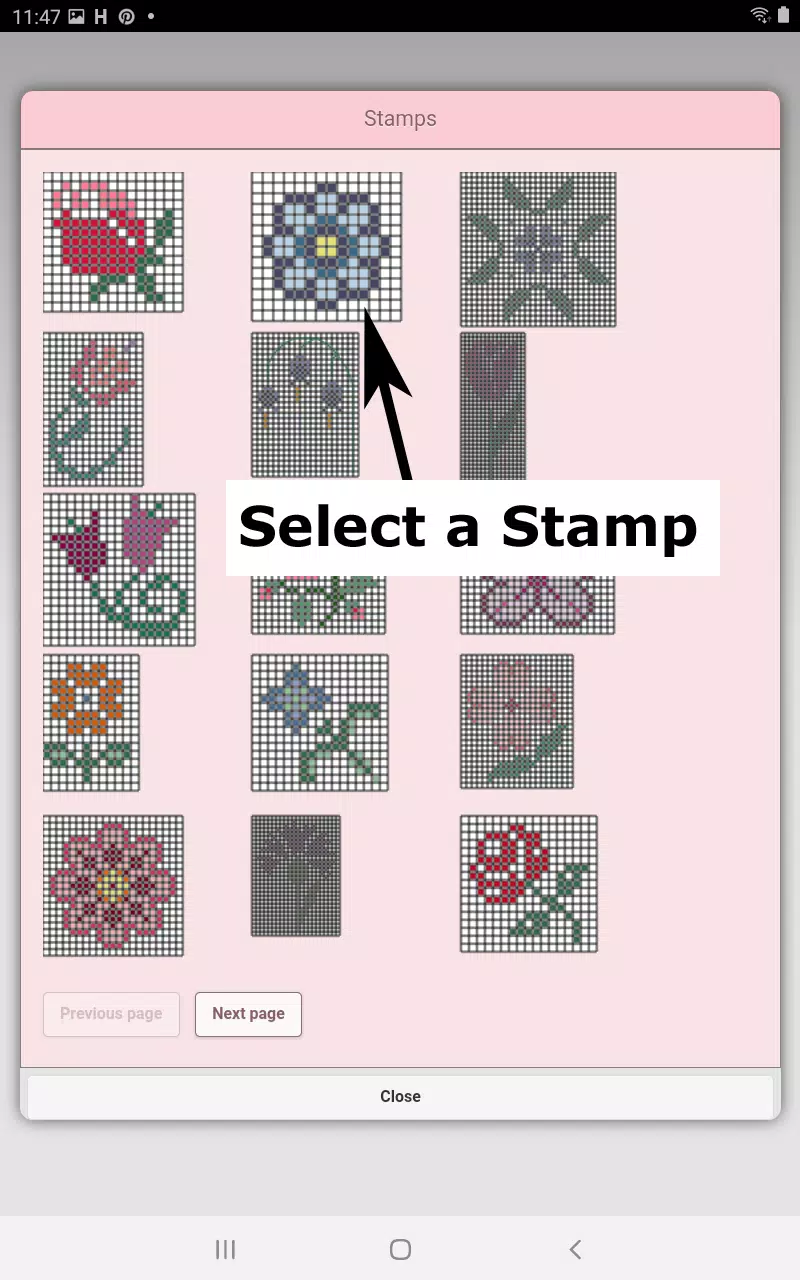
Start by using the pencil tool to fill in squares on your pattern. If you make a mistake, the eraser tool is there to help you clear any filled squares. Enhance your design further by choosing from over 80 stamps and borders to apply to your pattern.
The button bar at the bottom of the editor is your control center. Here's a breakdown of what each button does:
- DMC Floss Color button: Select the floss color you want to use.
- Save button: Save your current pattern.
- Pencil button: Fill in squares on your cross stitch pattern.
- Eraser button: Erase filled squares and backstitch lines from your pattern.
- Backstitch button: After selecting a color, use this to add backstitch lines to your pattern.
- Backstitch move button: Drag a selected backstitch to a new location.
- Backstitch move stitch end: Move either end of a selected backstitch to a new location.
- Stamps button: Add little cross stitch designs to your pattern.
- Borders button: Add borders that automatically wrap around your pattern.
- Dropper button: Extract a color from your pattern and add more of it.
- Bucket button: Fill a selected area with the current color.
- Bucket+ button: Replace a color with the currently selected color.
- Undo button: Undo the last change made to the pattern.
- Redo button: Redo changes that were undone.
- Selection box button: Select an area of the pattern for cutting, copying, rotating, or flipping.
- Cut button: Remove the selected area of your pattern.
- Copy button: Copy the selected area to the clipboard.
- Paste button: Paste the copied area onto your pattern and drag it to the desired location.
- Rotate button: Rotate the selected area or the whole pattern.
- Flip right/left button: Flip the selected area or the whole pattern horizontally.
- Flip top/bottom button: Flip the selected area or the whole pattern vertically.
- Zoom in button: Magnify the pattern for detailed work.
- Zoom out button: Minify the pattern for an overview.
- Symbols button: Display unique symbols on each color to indicate its color value.
- Picture button: Convert a picture from your device into a cross stitch pattern.
- Social media button: Share your pattern via email, text, or other social media platforms.
- Resize bars: Located at the bottom right corner, drag these to resize your pattern.
- Option settings: Change the grid color, switch fill style from solid to X's, and choose whether to display the row/column counter.
- Instruction page: Shows the DMC colors used and finished sizes for different Aida Cloth sizes.
- Finished Product page: Preview what your pattern will look like when completed, with the option to change the fabric color.
With the Cross Stitch Pattern Creator, you have all the tools you need to bring your cross stitch visions to life. Start crafting today and see where your creativity takes you!