
Gamebook Sheet is the perfect companion for any gamebook player.
Play gamebooks without the need for a pen or dice. Gamebook Sheet is ad-free, with no tracking or data collection. You must own the books to use this app.
With Gamebook Sheet, you can:
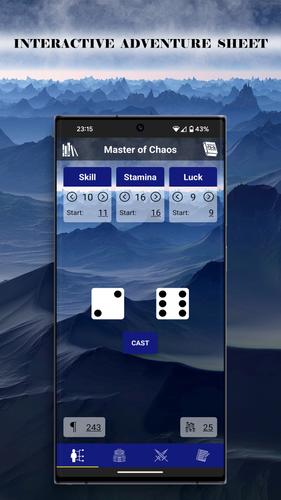
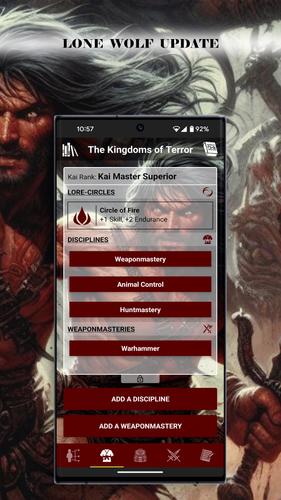
- Choose a template: Fighting Fantasy or Lone Wolf. More will be added.
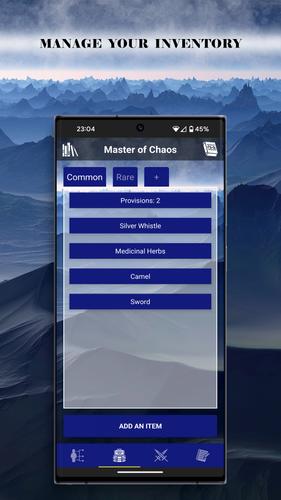
- Record your stats, inventory, and notes during your game. Items and notes can be organised across multiple tabs.
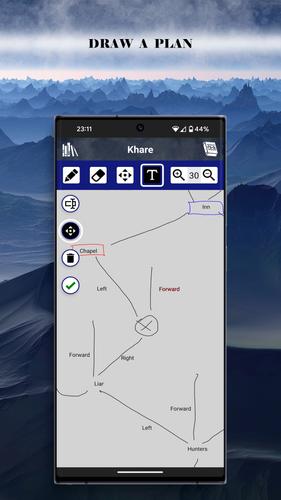
- Map your journey and annotate it with key locations and secrets on the sketch canvas.
- Choose a background and a key colour to match the mood of your book.
- Save your progress across as many books as you want. Duplicate saves to go back to specific moments of your adventure within the same book.
Tips:
- Long press on a tab name to edit or delete it. Long press on an enemy bloc to reset it.
- Duplicate saves to go back to specific moments of your adventure. Sketches are saved automatically as you draw.
Install now and revisit your collection of gamebooks in a whole new way!
What's New in the Latest Version 3.9.0
Last updated on Aug 5, 2024 3.9.0
New global options. See the 'options' item of the left drawer menu:
- Auto-save book progress.
- Select a language, bypassing the device default language
3.8.0
- Template for 'Grail Quest' added.
- New attributes 'quantity' and 'note' for inventory items.
- 'Way of the Tiger': the ninja tools are partially editable.
3.7.0
- Template for 'The Way of the Tiger' added.
- If a sketch is open, a double-tap on the header switches back and forth between the sketch and the book tabs.




























![City Devil: Restart [v0.2]](https://img.icssh.com/uploads/38/1719554737667e52b102f12.jpg)