Inkpad Notepad & To-do List: Your All-in-One Note-Taking and Task Management Solution
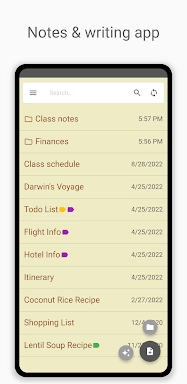
Inkpad Notepad & To-do List is a simple yet powerful app for managing notes and to-do lists. Its key features include automatic saving to prevent data loss, integrated checklists, and a robust search function for quick note retrieval. Enjoy seamless note syncing across your devices, secure online backups, and convenient web browser access. Boost your productivity with the integrated AI chat assistant, which aids in note editing, brainstorming, and learning. Premium features like PIN code protection and note history provide enhanced security and functionality.
Key Features:
- Automatic Note Saving
- Checklists and To-do Lists
- Powerful Note Search
- Cross-Device Syncing (Android/iOS)
- Secure Online Backup and Restore
- AI Chat Assistant for Smart Note Editing, Brainstorming, and Learning
Getting Started:
- Download and Install: Obtain the app from your device's app store.
- Launch the App: Open Inkpad and familiarize yourself with the interface.
- Create a New Note: Use the add button to create a new note or to-do list item.
- Utilize the AI Assistant: Leverage the AI chat assistant for smart editing and idea generation.
- Organize with Checklists: Convert notes into checklists for efficient task management.
- Search Your Notes: Employ the search function for rapid note retrieval.
- Sync Across Devices: Create an account to synchronize notes across your devices.
- Secure Your Data: Use the secure online backup to protect your notes.
- Web Browser Access: Access your notes via InkpadNotepad.com.
- Premium Upgrade (Optional): Upgrade to premium for added features such as PIN code security and note history.