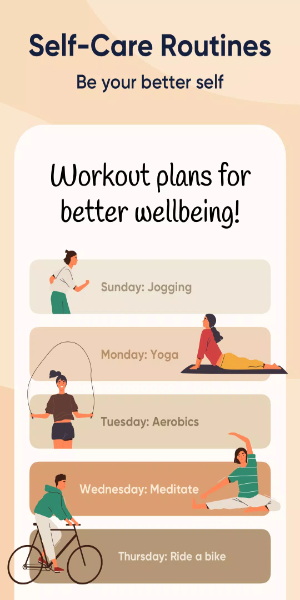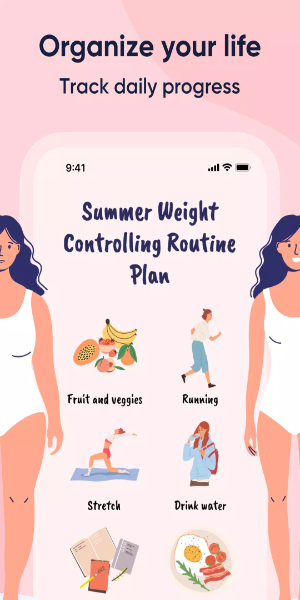
Living a healthy life is all about establishing a solid daily routine, and that's where the Me+ Daily Routine Planner comes in. It's designed to help you cultivate good habits and integrate them into your lifestyle, whether it's starting your day with a morning workout or keeping your living space tidy. By consistently following these routines, Me+ empowers you to live a more fulfilling and healthy life.
Here are some great things you can do with the new Routine feature:
- Create your own daily and morning routines tailored to your needs.
- Track your self-care plan, daily habits, moods, and daily progress to see how you're improving.
- Set friendly reminders for your to-do list in your daily planner, ensuring you never miss a beat.
- Access comprehensive, evidence-based self-care information to help you build healthy habits and routines effectively.
Core Features:
Efficient Task Management: With Me+, you can streamline your day by organizing and prioritizing tasks efficiently. Set deadlines, categorize your tasks, and monitor your progress to ensure nothing falls through the cracks. Me+ keeps your day structured and helps you stay focused and productive.
Personalized Routines: Customize your daily routines to fit your unique lifestyle using Me+. Whether you're setting up morning rituals or evening wind-down activities, Me+ lets you create schedules that boost productivity and promote well-being. Adjust tasks, allocate time slots, and weave self-care seamlessly into your day for a balanced life.
Timely Reminders and Notifications: Never miss an important task or appointment with Me+'s customizable reminders and notifications. Set alerts for key events to stay organized and motivated. This feature keeps you punctual and focused on your goals throughout the day.
Progress Tracking and Analysis: Keep an eye on your daily achievements and analyze your productivity trends with Me+. Gain insights into your routines, spot areas for improvement, and make adjustments to enhance your efficiency and effectiveness. Me+ helps you track your progress systematically, maintaining your momentum toward your goals.
Seamless Data Synchronization: Access your plans and routines across multiple devices effortlessly with Me+. The app syncs your data in real-time, ensuring you always have the latest information at your fingertips. Whether you're on your phone, tablet, or computer, Me+ keeps your schedules consistent and readily accessible, seamlessly integrating into your daily life.
Optimize Your Workflow with Me+: Tips for Effective Usage
Starting Strong: Daily Planning
Begin your day effectively by using Me+ for daily planning. Map out your tasks and routines, assign specific time slots, and prioritize critical tasks to enhance your productivity and maintain focus throughout the day.
Harnessing Custom Categories
Use Me+'s custom categories to streamline your organization across different life aspects. Categorize tasks under labels like work, health, leisure, etc., to maintain clarity and focus on each area. This approach enhances efficiency by grouping related tasks together for seamless execution.
Strategic Reminder Setting
Set reminders strategically in Me+ to keep your schedule and objectives on track. Remind yourself of essential tasks, appointments, or even breaks to maintain balance and avoid burnout. This proactive method ensures you stay on track and maintain momentum throughout your day.
Regular Review and Adjustment
Regularly review your progress and adjust your routines with Me+. Evaluate your productivity patterns and lifestyle changes to continually optimize your schedules. Making adjustments based on these insights ensures your planning stays aligned with your evolving needs, fostering sustained efficiency over time.
Embracing the Sync Feature
Make the most of Me+'s sync feature to keep your plans in sync across all your devices. This functionality ensures uninterrupted access to your schedules, whether you're at home, commuting, or traveling. Enjoy the flexibility of managing your routines from anywhere, ensuring consistency in your productivity management.
Download Me+ Today
Don't wait—download Me+ now to revolutionize your planning and productivity. Start organizing your life more efficiently, from daily tasks to long-term goals, with a tool designed to empower your success. Discover a new level of productivity and organization with Me+.
Conclusion:
Me+ Daily Routine Planner is your essential companion for achieving productivity and balance in your daily life. With its intuitive features for task management, customizable routines, and seamless synchronization, Me+ empowers you to stay organized, focused, and motivated every day. Download Me+ now and take control of your routines to enhance your productivity and well-being effortlessly.