
Troubleshooting the "Igniting the Timestream" Error in Marvel Rivals
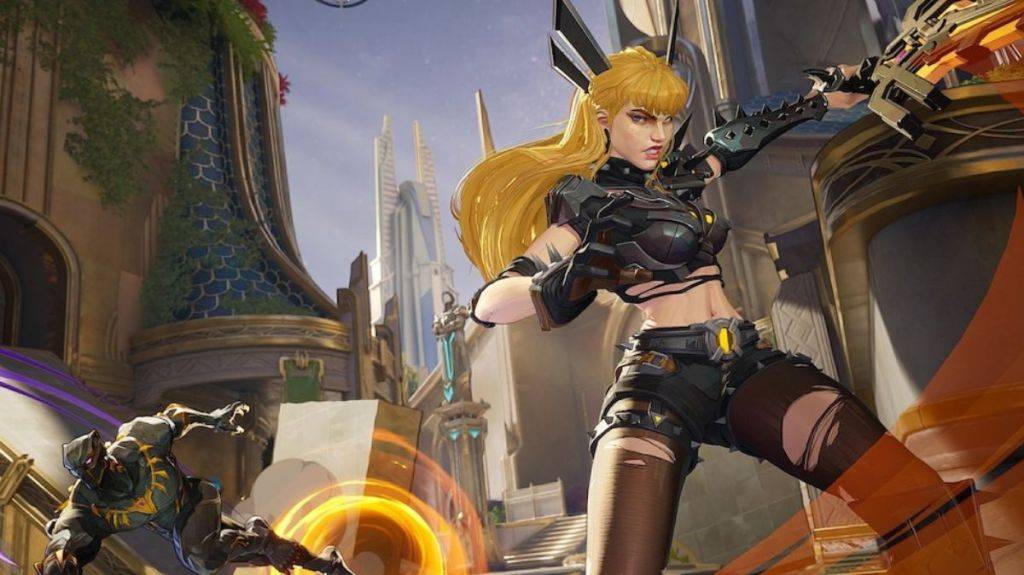
The "Igniting the Timestream" error in Marvel Rivals is a frustrating matchmaking issue. Instead of launching into a game, you're presented with this message, potentially leaving you stuck for an extended period. Here's how to address this problem:
Solutions for the "Igniting the Timestream" Error
-
Verify Server Status: Before troubleshooting your local setup, check the official Marvel Rivals social media channels (like X) or a service like Downdetector. Server outages are a common cause of this error.
-
Restart the Game: A simple restart of Marvel Rivals often resolves temporary glitches. Close the game completely and relaunch it to see if the error disappears.
-
Check Your Internet Connection: Marvel Rivals requires a stable internet connection. A weak or intermittent connection can prevent matchmaking. Try restarting your modem and router to refresh your network.
-
Take a Break: If the error persists despite the above steps, consider taking a break. Server issues may be in progress, and waiting for a fix from the developers might be the best course of action. Check back periodically for updates.
Marvel Rivals is currently available on PS5, PC, and Xbox Series X|S.

















![City Devil: Restart [v0.2]](https://img.icssh.com/uploads/38/1719554737667e52b102f12.jpg)


