Home News How To Fix ‘Serialization Error Action Needed’ in Ready or Not

How To Fix ‘Serialization Error Action Needed’ in Ready or Not

Author : Christopher Mar 06,2025

Troubleshooting "Serialization Error Action Needed" in Ready or Not
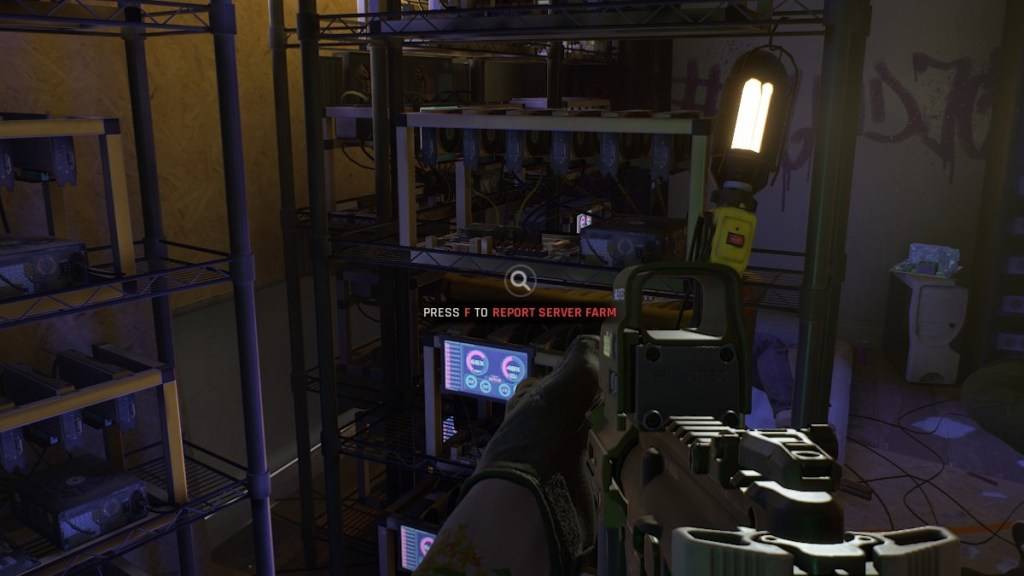
Ready or Not Serialization Error

Screenshot via The Escapist
The dreaded "Serialization Error Action Needed" in Ready or Not, often accompanied by "Corrupt data found, please verify your installation," is a common Unreal Engine issue. Here's how to resolve it:

  1. Verify Game Files: This is the first line of defense. Ensure Steam isn't in offline mode. In your Steam library:

    • Right-click Ready or Not.
    • Select "Properties."
    • Click "Local Files."
    • Choose "Verify integrity of game files."

    Steam will automatically replace any corrupted or missing files. Retry launching the game. If successful, you're done!

  2. Disable Mods: Outdated or incompatible mods, especially those not updated for Unreal Engine 5 (post-July 2024), are frequent culprits. To remove mods:

    • In your Steam library, right-click Ready or Not, select "Manage," then "Browse local files."
    • Navigate to ReadyorNot\Content\Paks.
    • Delete the mod.io folder.

    This will resolve the error, but you'll temporarily lose your mod functionality.

  3. Reinstall Mods Selectively: Reintroduce your mods one at a time. Check each mod's update date on Nexus Mods, Mod.io, or its source. Only reinstall mods updated after July 2024 (the UE5 update). After installing a mod, test Ready or Not. If the error returns, the last installed mod is the problem; skip it. Incompatible mods will not work with the UE5 version.

  4. Clean Reinstall (Last Resort): If all else fails, uninstall and reinstall Ready or Not completely. While less common, hard drive corruption could also be a factor. However, outdated mods are the most likely cause of this error.

Ready or Not is available now on PC.
Latest Articles More
  • Unison League Collaborates with Vocaloid Stars

    Unison League announced a collaboration featuring the iconic virtual idol Hatsune Miku.Miku will be joined by other popular Vocaloid characters as part of this limited-time event.Players can unlock exclusive branded cosmetics and special collaboratio

    Feb 25,2026
  • Nintendo Cites GameStop Office Space Meme Amid Switch 2 Repair Process

    Nintendo and GameStop have responded to the Switch 2 launch day problem where consoles with cracked screens were sold to customers after receipts were stapled to the boxes.Impacted customers have informed IGN that GameStop has started providing repla

    Feb 23,2026
  • Master Julia: Skills, Builds & Team Tactics in Realms of Pixel

    In Realms of Pixel, Julia stands out as a Mythical-grade hero who masterfully combines offensive versatility with tactical flexibility. Valued for her reliable area-of-effect damage, scalable utility, and seamless synergy with various allies, she has

    Feb 23,2026
  • inZOI Karma System Sparks Ghost Town Concerns

    Cities in inZOI may transform into ghost towns when numerous Zois perish with negative karma. Discover how inZOI's innovative karma mechanics work ahead of its early access launch.inZOI Cities Can Become Overrun By SpiritsPopulation Growth Stalls Whe

    Feb 21,2026
  • "July 2025 Manga Disaster Prediction Spurs Travel Cancellations"

    In recent weeks, a previously obscure manga has captured headlines in Japan and internationally. "The Future I Saw" (Watashi ga Mita Mirai), by author Ryo Tatsuki, suggests Japan will experience a massive natural disaster in July 2025. This forecast

    Feb 20,2026
  • Valhalla Survival challenges your boss-slaying skills with new raid content and Nightmare Mode

    Chapter 6 of Nightmare Mode is now availableNew boss, Idun, Night Eternal joins the frayBalance adjustments includedIf you’ve finished exploring Niflheim last month, Lionheart Studio is kicking off the Halloween season with Chapter 6 of Nightmare Mod

    Feb 19,2026