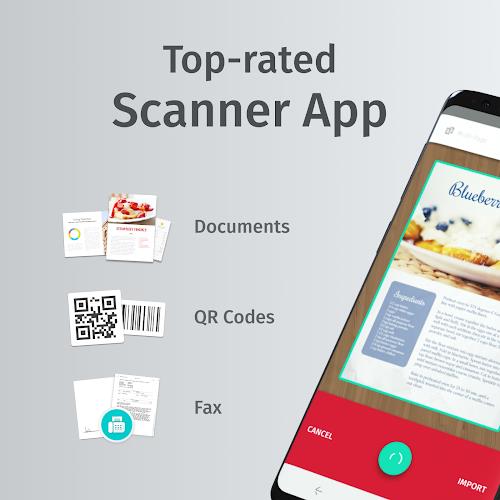
SwiftScan: Scan PDF Documents is an award-winning mobile scanner app that lets you easily scan documents and QR codes with just one tap. With this intuitive app, you can create high-quality PDF or JPG scans and conveniently send them via email or fax. The app also seamlessly integrates with cloud services like Google Drive, Dropbox, and Evernote, making it effortless to store and organize your scanned documents. SwiftScan's advanced scanning technology ensures quick and accurate scans, while its user-friendly interface makes it simple for anyone to use. With its impressive features and top-notch performance, it's no wonder why SwiftScan is recognized as one of the best scanner apps in the market.
Features of SwiftScan: Scan PDF Documents:
- High-quality scanning: SwiftScan allows you to create free PDF scans or JPG scans with just one tap. The app uses advanced scanning technology, starting at 200 dpi, to ensure premium quality comparable to desktop scanners.
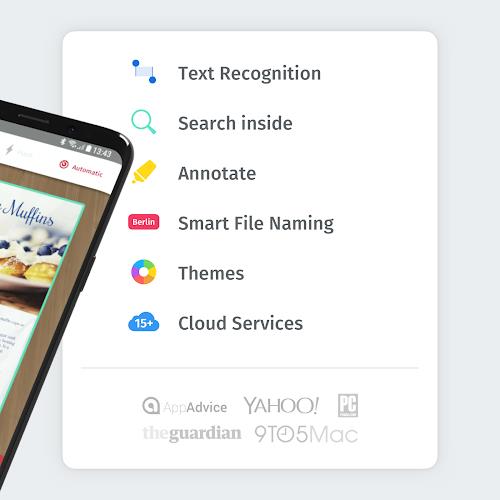
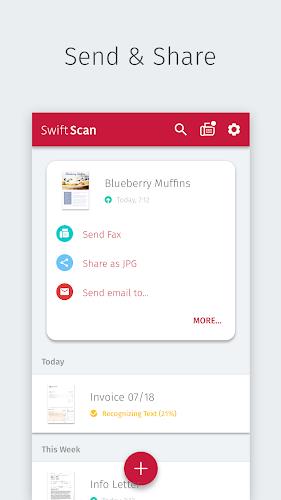
- Convenient file sharing options: You can easily send scanned files via email or fax, making it simple to share important documents with others. Additionally, you can upload files to popular cloud services like Google Drive, Dropbox, and Evernote.
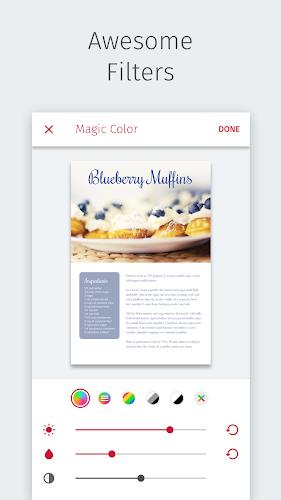
- Intuitive and easy to use: SwiftScan is designed to be user-friendly, with the camera doing all the hard work for you. The app makes hundreds of decisions to capture and optimize the scanned document, including cropping, straightening, and applying filters.
- Award-winning and highly rated: This PDF scanner app has won numerous awards and maintains a user satisfaction rating of 98%. It has also been recognized as an "Editors' Choice" by Google Play, further highlighting its quality and reliability.
- VIP features for enhanced functionality: By upgrading to SwiftScan VIP, you gain access to additional features, including OCR (text extraction), cloud integration with various services, file editing capabilities, and beautiful themes to personalize your experience.
- Wide compatibility and versatility: SwiftScan works with various types of documents, from paper documents to business cards, QR codes, barcodes, and more. It can even scan whiteboards or post-its. The app is also compatible with popular cloud services and supports multiple file formats.
Conclusion:
SwiftScan: Scan PDF Documents is an exceptional mobile scanner app that provides convenient and high-quality scanning capabilities. With its easy-to-use interface and advanced scanning technology, it offers a seamless and efficient document scanning experience. Whether you need to scan documents, share them via email or fax, or store them on cloud services, SwiftScan has you covered. By upgrading to SwiftScan VIP, you can unlock even more features and customization options.