Home Apps Personalization Vintage Door Lock Screen
Vintage Door Lock Screen

Vintage Door Lock Screen Rate : 4.1

Download
Application Description

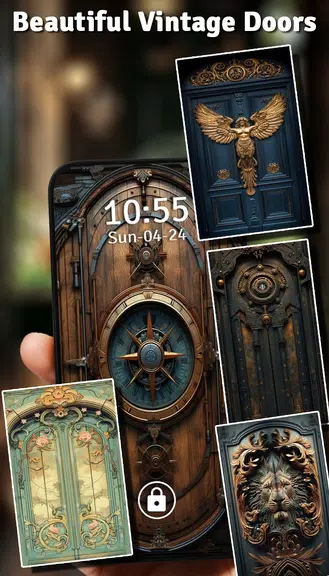
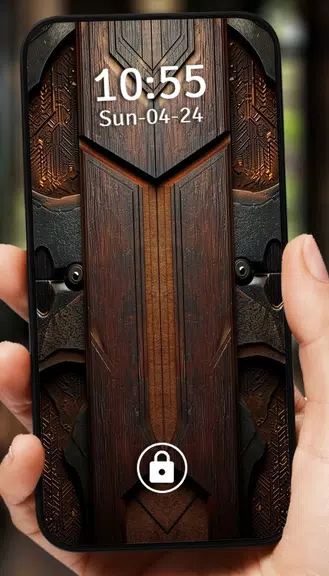
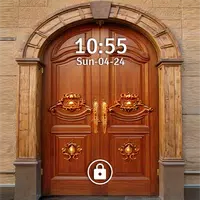
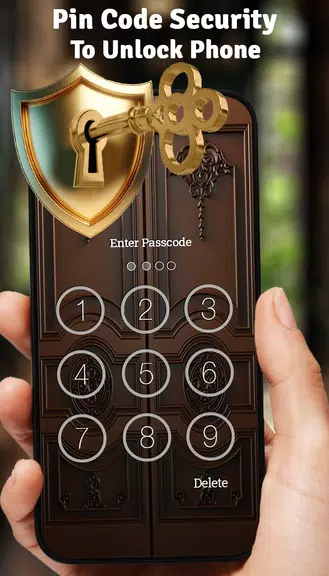
Tired of your phone's bland lock screen? This Vintage Door Lock Screen app offers a stylish and secure upgrade! Featuring beautiful door-themed backgrounds, it enhances security with password or PIN options while adding a touch of elegance. Easily set your preferred lock method and enjoy satisfying sound effects upon unlocking. Browse a variety of attractive vintage door wallpapers with a simple click. Download Door Lock Screen now and transform your lock screen into a visually appealing and secure door experience!

Vintage Door Lock Screen App Features:

  • Stylish & Secure: Replace your boring lock screen with a stylish and secure door-themed alternative.
  • Robust Security: Protect your device with a password-protected lock screen.
  • Simple Setup: Quickly configure a password or PIN lock with minimal effort.
  • Vintage Door Designs: Personalize your lock screen with a selection of beautiful vintage door wallpapers.
  • Authentic Sound Effects: Enhance your unlocking experience with pleasant sound effects.

Frequently Asked Questions (FAQs):

  • Is the app user-friendly? Absolutely! The app is designed for ease of use, enabling quick setup of a secure lock screen with customizable themes.
  • Can I use my own photos? Currently, the app provides a range of vintage door themes. Custom photo options may be added in future updates.
  • Is it free? Yes, the app is free to download and use, with optional in-app purchases for extra themes and features.

In Summary:

Enhance your phone's security and aesthetic appeal with the Vintage Door Lock Screen app. Its user-friendly interface, strong security measures, and attractive vintage themes provide a refreshing change from standard lock screens. Download it today for a creative and secure lock screen experience.
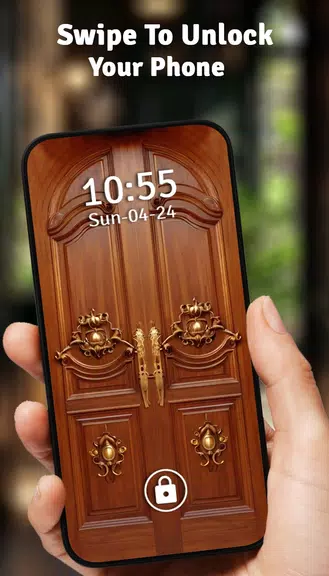
Screenshot
Vintage Door Lock Screen Screenshot 0
Vintage Door Lock Screen Screenshot 1
Vintage Door Lock Screen Screenshot 2
Vintage Door Lock Screen Screenshot 3
Latest Articles More
  • Nintendo Switch 2 Zelda: Breath of the Wild Review

    With the arrival of the Nintendo Switch 2, I've chosen to revisit the game that launched with the original console: The Legend of Zelda: Breath of the Wild. This new Enhanced Edition delivers visual refinements, faster load times, and integrates with

    Feb 15,2026
  • Pokemon Legends: Z-A Release Date Announced

    Is Pokémon Legends: Z-A on Xbox Game Pass?Pokémon Legends: Z-A will not be available through Xbox Game Pass.

    Feb 15,2026
  • Cats & Soup Launches Summer Seaside Update

    Cats & Soup is diving into a spectacular new underwater updateExplore the brand-new Underwater Palace realmDiscover ocean-themed cosmetics, including the Sea Dress and Baby Mermaid outfitAmong the beloved cult classics we feature at Pocket Gamer, Cat

    Feb 14,2026
  • Fortnite Chapter 6 Season 2 Character Guide

    Learn how to play Fortnite Mobile on your Mac with this complete guide using BlueStacks.In Fortnite Mobile Chapter 6 Season 2, you'll encounter various Non-Playable Characters (NPCs) across the island. These characters provide services like selling i

    Feb 13,2026
  • Prime Day 2025's Top Board Game Deals on Amazon

    The four-day shopping marathon of Prime Day 2025 is underway from July 8th to July 11th. There’s hardly any product category *not* included in Amazon's current sale. As always, Prime Day is one of the best opportunities to stock up on board games, an

    Feb 13,2026
  • The Sims Freeplay Launches Make a Splash Update

    Summer has arrived in The Sims! The Make a Splash update launches a broader Summer Vacation series for The Sims Freeplay. This first chapter is now live, celebrating everything that makes summer special.Celebrate with street parties, sunny pool days,

    Feb 13,2026