
Identifying Ghosts in Demonology can quickly turn into a guessing game if you aren't using all the available equipment. To ensure you're not left guessing, follow our comprehensive Demonology equipment guide below.
How to Buy and Use Equipment in Demonology
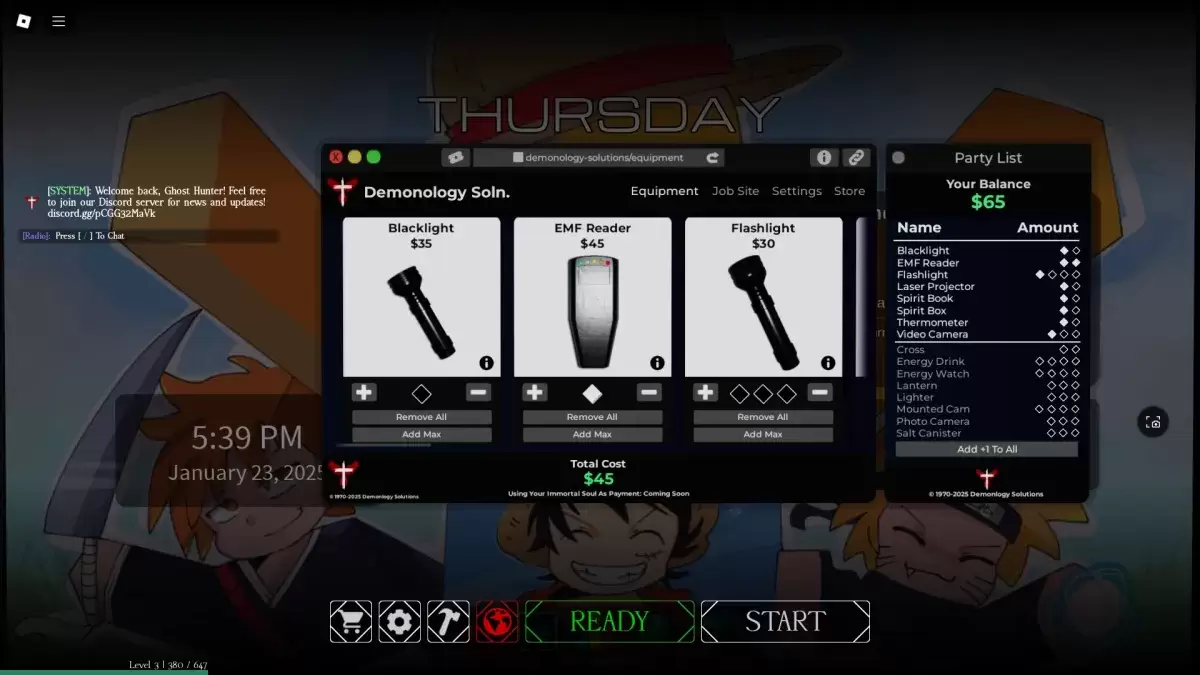
Evidence Equipment in Demonology
Evidence equipment is crucial for identifying Ghosts in Demonology. These tools are primarily used to gather the evidence needed to determine the type of Ghost you're facing. For a deeper dive into identifying Ghosts, check out our dedicated guide. Additionally, these pieces of equipment can be used to lure Ghosts into manifesting, making it easier to capture photos.
| Item | Use | Party limit | Price |
|---|---|---|---|
| **Blacklight** | • Activate the Blacklight and look for fingerprints, handprints, or footprints left by Ghosts. | 2 | $35 |
| **EMF Reader** | • Use the EMF Reader to detect Ghost activity. It lights up and makes a sound when a Ghost is nearby. You can throw it to use as a perimeter scanner. | 2 | $45 |
| **Laser Projector** | • Place the Laser Projector on the ground to emit beams that highlight any moving Ghosts. | 2 | $65 |
| **Spirit Book** | • Drop the Spirit Book to attract Ghosts. If a Ghost is nearby, it might pick up the book and write in it. | 2 | $40 |
| **Spirit Box** | • Use the Spirit Box to communicate with Ghosts. It offers dialogue options, though Ghosts may ignore your attempts. | 2 | $50 |
| **Thermometer** | • Use the Thermometer to monitor the temperature. Normal room temperature ranges from 15-19 degrees; deviations could indicate a Ghost's presence. | 2 | $30 |
| **Video Camera** | • Use the Video Camera to see Ghost Orbs. You can place it on the ground and monitor it from the PC at spawn. | 3 | $50 |
Optional Equipment in Demonology
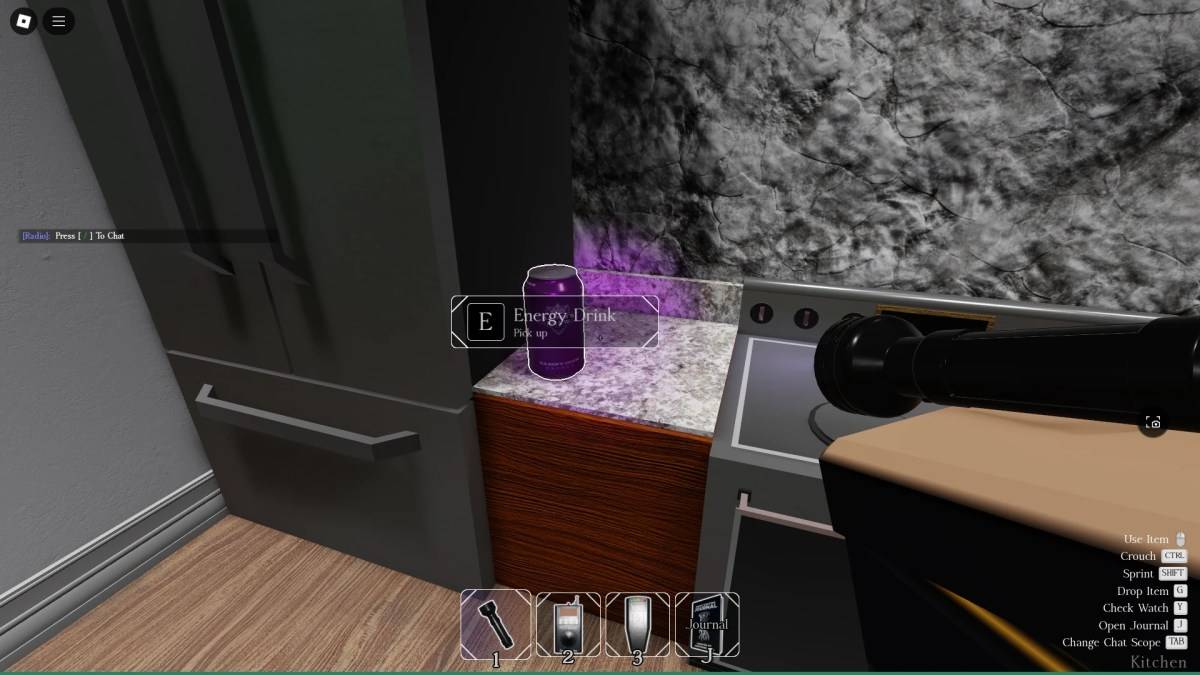
Optional equipment in Demonology aids in survival and achieving secondary objectives. As with all equipment, there's a limit to how many you can bring into a run.
| Item | Use | Party limit | Price |
|---|---|---|---|
| Flashlight | • Use the Flashlight to illuminate a cone-shaped area in front of you. | 4 | $30 |
| Cross | • Use the Cross to repel a Ghost when it starts hunting. | 2 | $30 |
| Energy Drink | • Use the Energy Drink to restore some Energy. | 4 | $30 |
| Energy Watch | • Use the Energy Watch to check your remaining Energy. | 4 | $50 |
| Lantern | • Hold the Lantern to prevent your Energy from draining passively. | 3 | $15 |
| Lighter | • Use the Lighter to ignite the Lantern, candles, or as a light source. | 3 | $10 |
| Mounted Cam | • Similar to the Video Camera, but can be used with other items. Monitor it from the PC next to spawn. | 4 | $50 |
| Photo Camera | • Use the Photo Camera to capture images of Ghosts and other objects, aiding in completing optional objectives. | 3 | $40 |
| Salt Canister | • Use lines of Salt to ward off certain Ghosts and secure handprint evidence. | 3 | $15 |
That wraps up our guide on equipment in Demonology. For more insights into Roblox games, be sure to visit the Roblox guides section on Escapist.
























![City Devil: Restart [v0.2]](https://img.icssh.com/uploads/38/1719554737667e52b102f12.jpg)
