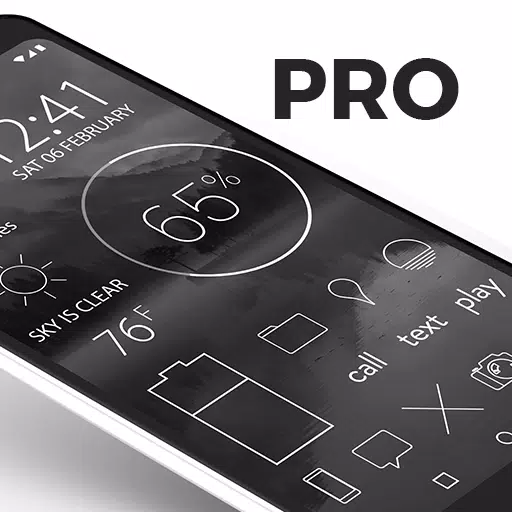
Lines is a sleek, modern, and minimalist icon pack featuring clean, outlined designs that enhance your device's aesthetic. The pro version of Lines includes over 4,200 hand-crafted, high-definition icons with variations for popular apps, ensuring a unique and tailored look for your home screen.
Key Features of Lines Icons (Pro Version)
- High-Resolution Icons: The icons are xxxhdpi, which means they are optimized for high-definition screens, offering crisp, clear lined icons on any device.
- Extensive Wallpaper Collection: Over 200 hand-picked wallpapers, including skies, clouds, landscapes, and abstract designs, are available for download from the cloud. These wallpapers are specially curated to complement the white, flat icons.
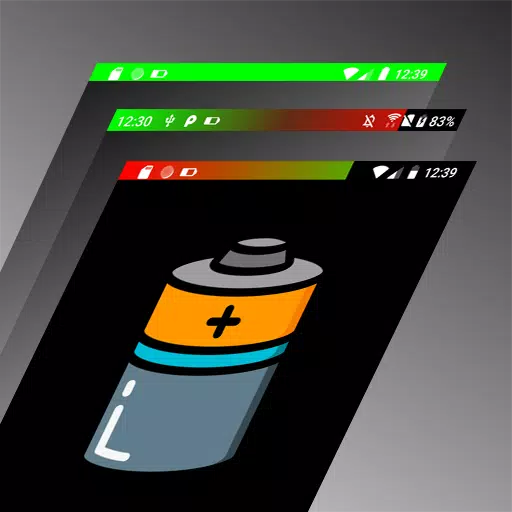
- Widgets: The pack includes customizable widgets for clocks, battery, and weather. These widgets allow for adjustments in color, size, and font, ensuring they fit seamlessly into your home screen setup.
- Transparency: The center of each icon is transparent, allowing your chosen wallpaper to shine through, adding depth and personalization to your device.
- Wallpaper Picker: Easily browse and select your favorite wallpapers from the included collection.
- Icon Requests: Users can request additional icons through the "Request" tab, ensuring the icon pack remains relevant and comprehensive.
- Muzei Support: Enjoy rotating wallpapers with Muzei integration.
- Regular Updates: New icons are added regularly to keep your icon pack fresh and up-to-date.
Widgets Included
- Battery widgets
- Digital clock widgets
- Analog clock widgets
- Weather widgets
Quick Tips
- Manual Icon Editing: Most launchers allow you to edit icons manually by long-pressing the icon you wish to change.
- Widget Maintenance: If your widget stops updating, check your device's system or battery settings to ensure the app is exempt from battery optimization. For more information, visit dontkillmyapp.com.
Pro Version Details
This is the pro version of the Lines icon pack. If you're interested in the free version, you can find it here.
How-to Guide
For detailed instructions on applying the icon pack, visit natewren.com/apply.
Compatible Launchers
To use Lines icons, you may need a third-party launcher. Here are some compatible launchers:
- Nova Launcher (Recommended for the best experience and icon name search feature)
- Microsoft Launcher
- Evie Launcher
- Poco Launcher
- ADW Launcher
- Yandex Launcher
- Action Launcher
- Apex Launcher
- Atom Launcher
- Aviate Launcher
- Go Launcher
- Holo Launcher
- Inspire Launcher
- KK Launcher
- Lucid Launcher
- Next Launcher
- Nine Launcher
- Solo Launcher
- Smart Launcher
- Themer
- TSF
For more information on manually applying icons and searching within Nova Launcher, visit natewren.com/manually-edit-icons/.
How to Apply Icons
Via Icon Pack:
- Open the Lines app after installation.
- Navigate to the "Apply" tab.
- Select your preferred launcher.
Via Launcher:
- Open launcher settings by tapping and holding on an empty area of your home screen.
- Select personalization options.
- Choose the Lines icon pack.
Follow Me
Stay updated with the latest news and developments by following on Twitter: @natewren.
Questions/Comments
For any inquiries or feedback, reach out via email at [email protected] or visit natewren.com.
What's New in Version 3.3.0
Last updated on May 13, 2024
- Minor bug fixes and improvements. Install or update to the newest version to experience the latest enhancements!